Disclosure: Some links on this site are affiliate links. If you sign up through them, we may earn a commission at no extra cost to you. See our Affiliate Disclosure

Running a trade business whether you are pulling copper pipe, diagnosing split systems, or managing multi-crew residential remodels means battling constant friction. Between tracking down unpaid invoices, field dispatching, and handling customer calls, office management can quickly eat away at your billable hours.
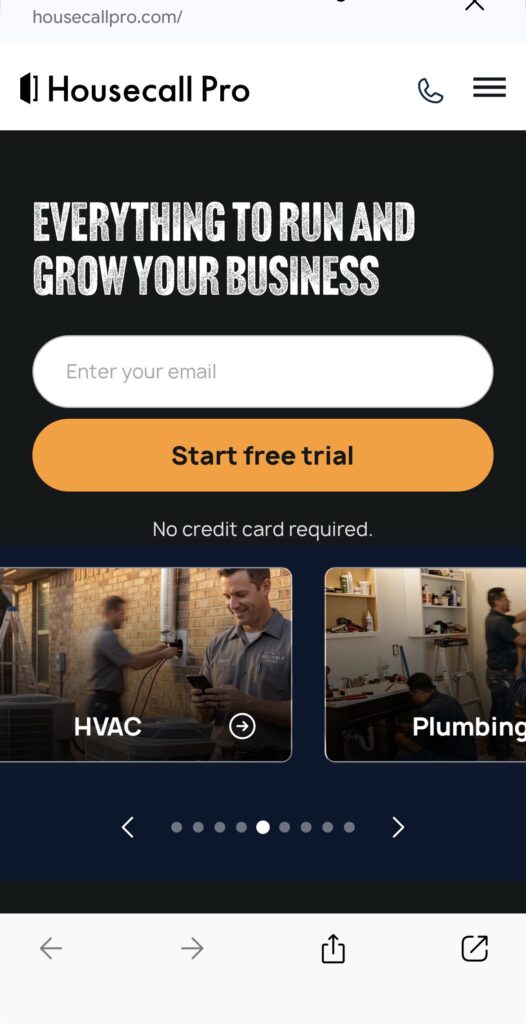
Enter Housecall Pro, one of the most recognized field service management (FSM) platforms on the market today. Built specifically for home service contractors, Housecall Pro promises to streamline dispatching, automate customer communications, and increase revenue through multi-option sales proposals.
In this deep-dive 2026 review, we break down Housecall Pro’s features, updated tier pricing, real-world field usability, and trade pros and cons so you can decide if it’s the right operating system for your business.
Quick Verdict: Is Housecall Pro Worth It?
The Bottom Line: Housecall Pro excels at empowering residential trade contractors to close bigger jobs in the field. Its standout Interactive Sales Proposal Tool, (a Max plan feature) automated “On My Way” SMS alerts, and seamless mobile interface make it an industry favorite for small-to-midsize plumbers, HVAC techs, and electricians looking to scale.
If you run a team of 1 to 10 technicians focused primarily on residential service, maintenance agreements, and flat-rate jobs, Housecall Pro is a top-tier choice. However, commercial contractors requiring complex inventory tracking or job-costing ledgers might find its lower tiers slightly restrictive without paid add-ons.
Key Features: How Housecall Pro Handles the Field
1. Drag-and-Drop Scheduling & Dispatching
Housecall Pro’s dispatch board is designed for speed. Office managers can easily drag and drop unassigned jobs onto a technician’s calendar, color-code visits by trade type, and instantly push schedule updates to the field app.
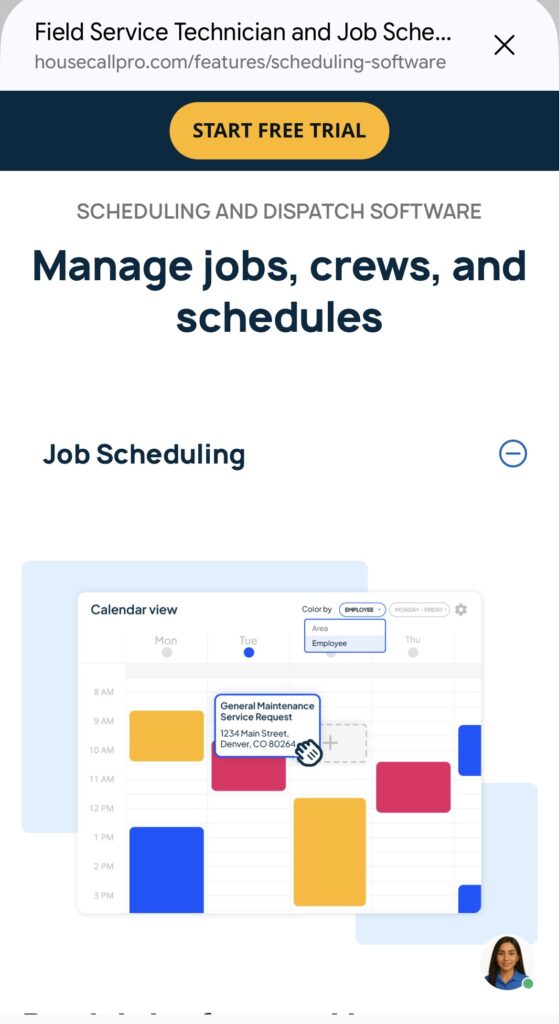
- Live GPS Tracking: Technicians can send automated “On My Way” texts complete with live GPS map links, giving homeowners an accurate ETA. If you like Housecall Pro’s customer-facing tools but need dedicated, standalone GPS geofencing and specialized job costing for larger field crews, read our review on ClockShark for small plumbing crews
- Route Optimization: Available on higher tiers, the platform automatically reorders daily stops based on live traffic and drive time to save fuel.
2. Interactive “Good-Better-Best” Sales Proposals
One of Housecall Pro’s best revenue-generating features is its proposal tool (Included on the Max plan) Instead of handing a homeowner a single hand-written estimate, techs can present interactive digital proposals with multiple options (e.g., Option A: Standard Repair, Option B: System Upgrade, Option C: Premium Replacement).
- Customers can select options, approve work, and sign with a finger on the tech’s tablet directly on the job site.
3. Invoicing, Payments, and Consumer Financing
Housecall Pro removes payment friction by converting approved estimates into invoices in a single tap.
- Mobile Credit Card Processing: Field techs can accept credit card payments, digital mobile wallets, or ACH transfers on site.
- Consumer Financing: Through native platform partnerships, you can offer immediate customer financing on high-ticket equipment installs ($1,000–$15,000+), allowing you to close larger replacement jobs without taking on credit risk.
- QuickBooks Online Integration: Automatically syncs invoices, payments, customer data, and line items bi-directionally to eliminate double entry. For solo operators or small crews looking for an alternative with an exceptionally simple mobile workflow, check out our standalone Jobber Review
4. Recurring Service Agreements & Consumer Reviews
Building predictable monthly revenue is essential for HVAC and plumbing contractors. Housecall Pro allows you to set up recurring service plans, store credit cards on file, and auto-generate maintenance visits. Once a job is marked completed, the system automatically sends automated text/email review requests to collect 5-star Google reviews.
Housecall Pro Pricing & Plans (Updated 2026)
Housecall Pro offers three main pricing tiers based on team size and feature requirements:
| Feature / Tier | Basic Plan | Essentials Plan | MAX Plan |
| Annual Billing Cost | $59 / month | $149 / month | $299 / month |
| Monthly Billing Cost | $79 / month | $189 / month | $329 / month |
| Users Included | 1 User | Up to 5 Users | Up to 8 Users(extra users cost more; reported $35 to $100/mo, confirm current rate) |
| Scheduling & Dispatch | Included | Included | Advanced Route Optimization |
| Estimates & Invoicing | Included | Included | Included |
| Online Customer Booking | Basic | Included | Included |
| Good-Better-Best Proposals | Not Included | Paid add-on (confirm with Housecall Pro | Included |
| Recurring Maintenance Plans | Not Included | Paid Add-on | Built-in |
| API & Advanced Reporting | Not Included | Standard | Open API Access & Dedicated Coach |
(Note: Housecall Pro provides a 14-day free trial on core plans. Payment processing fees average around 2.59% – 2.9% + $0.30 per transaction depending on your plan tier and swipe method). If you want a side-by-side breakdown of how Housecall Pro’s pricing and features match up directly against Jobber, read our full Jobber vs Housecall pro Comparison
Pros and Cons for Trade Contractors
The Pros:
- Boosts Average Ticket Sizes: The visual proposal builder makes upselling higher-grade equipment or service add-ons effortless for techs in the field.
- Extremely Intuitive Mobile App: Field techs can learn the iOS and Android app with minimal training.
- Automated Customer Touchpoints: Automated appointment reminders, “On My Way” texts, and follow-up review requests keep homeowners informed and happy.
- Flat Rate & Price Book Integration: Easily import service price books so techs bill accurately every time.
The Cons:
- Seat Limits on Entry Tiers: The $59/mo Basic plan only covers 1 user, making it suitable mainly for solo operators.
- Add-On Costs Can Mount: Advanced features like automated marketing campaigns or specialized dispatching add-ons incur extra monthly fees on lower tiers.
- Limited for Complex Commercial Work: If your business focuses heavily on commercial job-costing, complex AIA billing, or heavy equipment tracking, enterprise platforms like ServiceTitan may be required.
Final Verdict: Who Should Buy Housecall Pro?
Housecall Pro is a fantastic software platform for growing trade contractors. If you run a residential plumbing, HVAC, electrical, roofing, carpet cleaning, or handyman business with 1 to 10 technicians, it delivers one of the best balances of field usability, customer presentation, and fast payment collection available today.
If you are a solo operator or running a 2-5 person crew ready to replace pen-and-paper dispatching with a modern, high-converting customer experience, Housecall Pro is well worth the investment. To see where Housecall Pro ranks against other top platforms for small trade operations, check out our guide to the Best Field Service Software For 1-2 Tech Shops (2026)