Managing a field service business as a solo trade operator or small crew leader often means spending as much time on paperwork as on the job site. Between tracking unpaid invoices, dispatching technicians, and answering phone calls, administrative tasks can quickly stall revenue growth.
Jobber has established itself as one of the leading field service management (FSM) platforms in North America. Designed specifically for small-to-medium home service and trade businesses, it aims to streamline job dispatching, invoicing, client messaging, and quote follow-ups into one mobile application.
In this comprehensive Jobber review (2026), we examine Jobber’s core features, updated pricing tiers, mobile app performance, and real-world suitability for trade businesses to help you decide if it is the right operational software for your company.
Quick Verdict: Who Is Jobber Best For?
- Great For: Solo contractors, residential service pros (plumbers, HVAC technicians, electricians, lawn care operators), and small crews of 2 to 10 technicians who want an easy-to-use scheduling and invoicing workflow without complicated software setup.
- Not Ideal For: Large commercial enterprise contractors that need heavy custom inventory tracking, complex sub-contractor job costing, or multi-branch dispatching (where platforms like ServiceTitan or Service Fusion are stronger).
Key Features & Operational Capabilities
1. Fast Quoting & Instant Online Approvals
Speed to quote is critical for winning trade jobs. Jobber lets you generate professional quotes from your smartphone or desktop while still on-site.
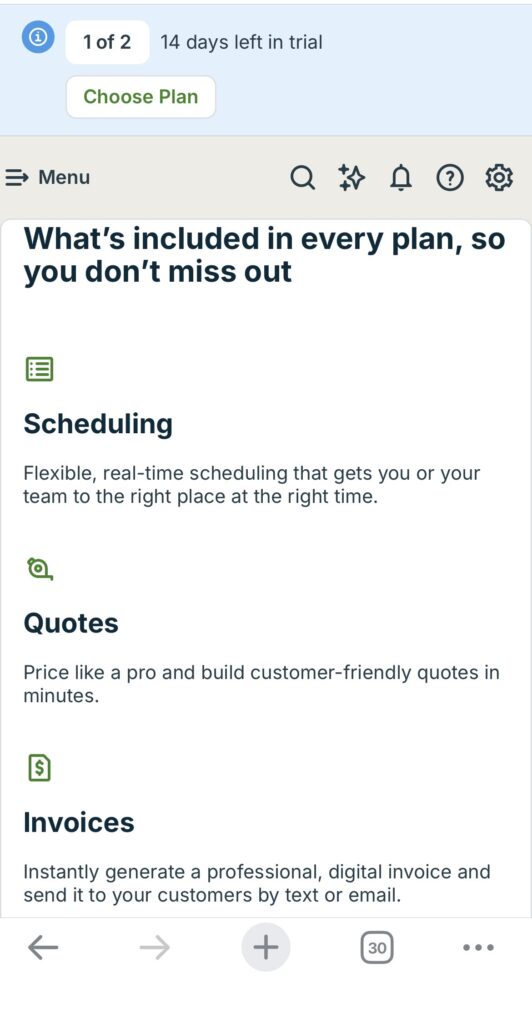
- Clients receive quotes via email or SMS and can approve them online with an electronic signature through the Client Hub.
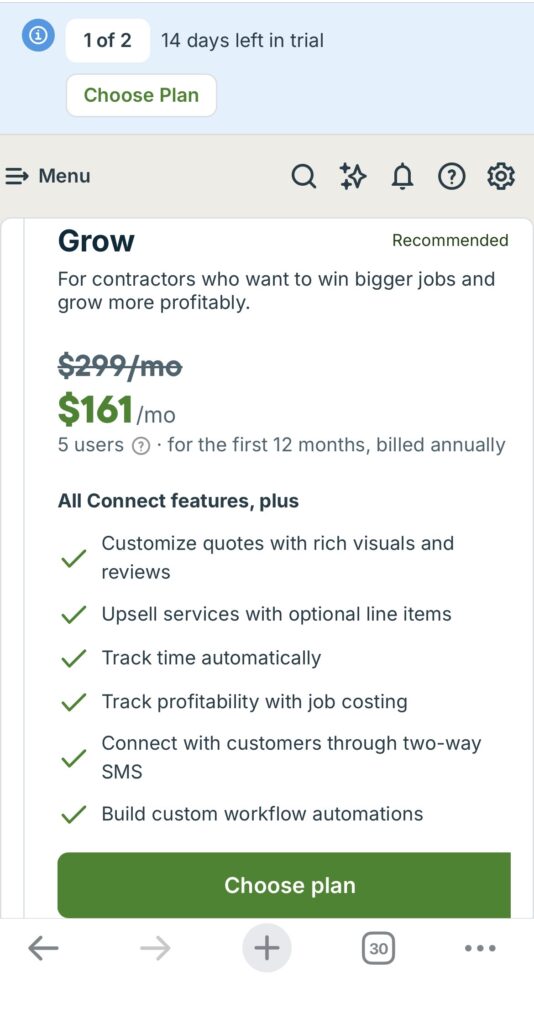
- On the Grow plan and above, you can present tiered options (Good / Better / Best) or optional add-ons directly on quotes, which helps increase average ticket size.
2. Smart Scheduling & Mobile Dispatching
Jobber’s visual calendar makes dispatching straightforward. You can drag and drop jobs, view team locations on a map, and optimize daily routes.
- GPS waypoint tracking helps monitor crew progress.
- Field crews can complete digital checklists, upload job-site photos, and capture client signatures directly in the iOS and Android mobile app.
3. Invoicing & Automated Payment Collection
Once a technician marks a job complete in the mobile app, Jobber can automatically generate an invoice.
- Automated SMS or email reminders help chase overdue invoices and unapproved quotes.
- Jobber Payments supports credit card (tap-to-pay or online) and ACH. Typical processing fees are 2.7%–2.9% + $0.30 per card transaction, with lower rates available for ACH.
2026 Jobber Pricing Breakdown
Jobber prices by plan tier and team size rather than a simple per-seat model. Below is a clear summary of standard 2026 pricing (USD)
| Plan | Annual Billing (per month) | Month-to-Month | Included Users | Best For |
| Core | $29 | $49 | 1 user only | Solo operators |
| Connect | $99 – $229 | $139 – $299 | 1 to 15 users (banded) | Small teams needing automation & QuickBooks |
| Grow | $149 – $399 | $199 – $499 | 1 to 15 users (banded) | Growing teams needing job costing & two-way texting |
| Plus | $399 – $529+ | $499 – $699+ | Starts at 5 users | Larger teams wanting premium support & full suite |
Important Pricing Notes:
- Core is strictly limited to 1 user. The moment you need a second login (employee, helper, or office staff), you must move to Connect or higher.
- Extra users beyond the included band cost $29 per user per month.
- Popular add-ons include AI Receptionist (around $29/mo), Pipeline/lead tracking (around $49/mo), and Marketing Suite (around $79–$99/mo). Some of these are included or discounted on the Plus plan.
- Always check Jobber’s official pricing page for the latest figures and any promotional offers, as pricing can change.
Trade-Specific Performance: Is Jobber Good for Plumbers & Mechanical Trades?

Yes particularly for residential service and repair operators. Plumbers, HVAC technicians, and electricians benefit from Jobber’s fast quoting, automated appointment reminders, batch invoicing, and solid QuickBooks Online integration.
However, if your business focuses primarily on heavy commercial construction or multi-stage subcontractor project management, Jobber’s job-costing tools may feel lighter than dedicated trade ERP platforms.
Pros & Cons of Jobber
Pros
- Minimal learning curve; intuitive for non-technical office staff and field technicians.
- Strong client experience via the online Client Hub (quote approval + online payments).
- Seamless QuickBooks Online sync that reduces double data entry.
- Automated follow-ups that chase unpaid invoices and open quotes without manual effort.
Cons
- No free plan (only a 14-day trial).
- Clear pricing jump when moving from solo (Core) to a multi-user team.
- Higher-value features such as two-way customer texting and detailed job costing require the Grow plan or above.
Final Verdict: Is Jobber Worth It in 2026?
For small trade contractors, solo operators, and growing residential service businesses, Jobber remains a strong investment. Its clean mobile interface, automated client communication, and on-site payment tools can save significant administrative time every month.